How to build a mobile app with AI
There used to be months of work and a big budget between an idea and the first screen of an app. Now part of that path can be walked in a conversation with AI: you describe the product in your own words, and the system helps break the idea into features, assemble the interface and write the code.
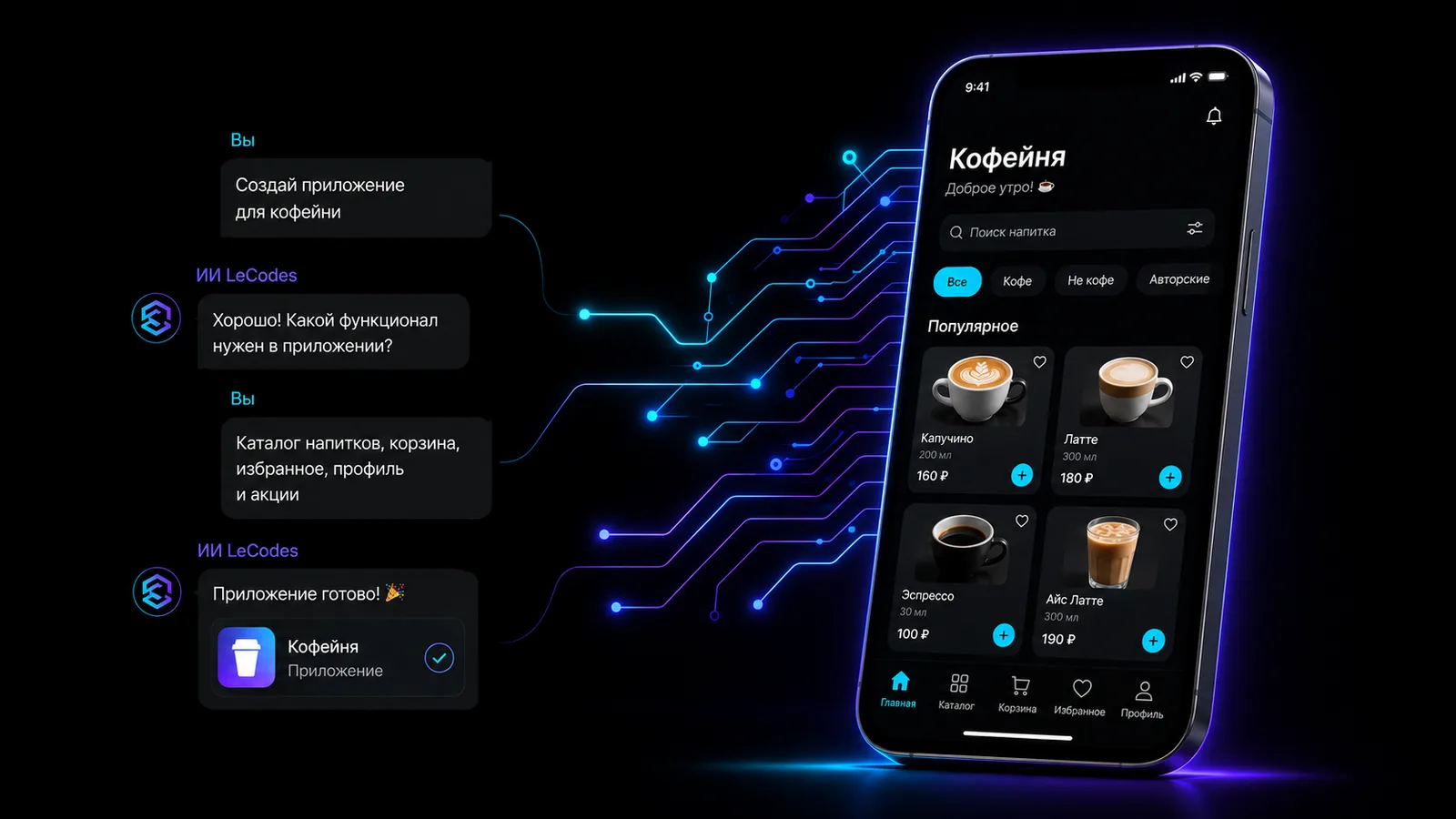
An app idea often looks clear only inside your head. For example: "I want my coffee shop's guests to pre-order a drink, collect bonuses and not wait at the counter." But as soon as development starts, dozens of questions appear. Which screens are needed? Where are orders stored? How should sign-in work? What does the user see after paying? And how much will all of this cost?
The first working prototype used to require a designer and a developer — or at least a confident grip on a no-code builder. Now building apps with AI lets you walk part of that path in an ordinary conversation. You describe the product in your own words, and the system helps break the idea into features, assemble the interface and write the code.
If you are only figuring out how to make a mobile app without a big team, start not with technology but with one useful scenario. That way the model can produce a clear first version that you can actually test on a phone.
This doesn't mean the model will invent the business model and ship a perfect product on its own. But it dramatically shortens the way from a thought to a version you can open on a phone, show to customers and test in real scenarios.
What to decide before development starts
Don't start with "make me an app like the big service". That description is far too wide. The AI would have to guess the audience, the main task, the structure and the logic of the product. The more guessing, the higher the chance of a pretty but useless set of screens.
First decide who will use the app, which single problem it solves, which action is the main one, and which features the first version makes no sense without. For the coffee shop the answers are simple: the product is for regulars, it cuts the wait, it lets them pre-order, and at the start it includes a menu, a drink card, a cart, a pickup time and an order history.
That is already enough to move to a prototype. A loyalty programme, reviews, a subscription to a favourite drink and recommendations can come later. The first version doesn't have to do everything. Its job is to test whether people use the core feature.
What the model can do, and what stays with you
A model is good at work that can be checked against clear rules. It can:
- turn an idea description into a list of screens and user scenarios;
- propose navigation and interface copy;
- create screens and connect the transitions;
- write and fix code;
- rework the prototype after feedback.
But the key decisions stay with you. The AI doesn't know your customers the way you do. Without data it can't decide whether guests need pre-ordering, whether they're willing to install a separate app, and which bonus mechanic will actually bring them back.
Security review, legal questions, payment rules, personal-data handling, integrations with external systems and the final testing also stay with a human. AI speeds development up, but doesn't take the responsibility for the result off you.

Step by step: from idea to app
Step 1. State the task in one sentence
A good statement describes the user, the problem and the result. For example:
I need a prototype of a mobile app for a small coffee shop. A regular guest picks a drink, sets the size and extras, chooses a pickup time and places a pre-order without queuing.Don't try to describe every possible feature at once. First pin down the main user path from opening the app to a useful result.
Step 2. Define the first version
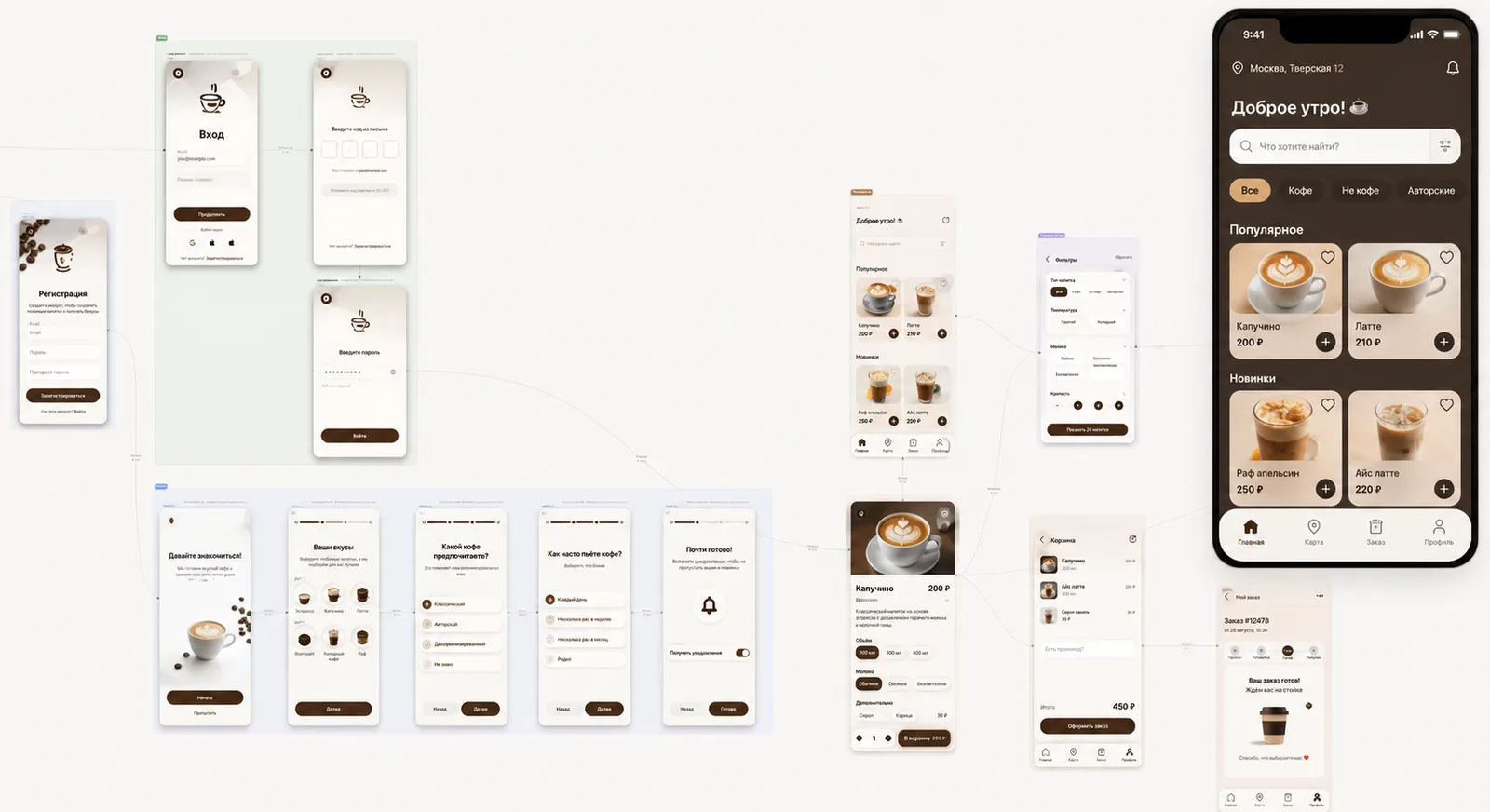
Five basic screens are enough for a coffee-shop app:
- Home with popular drinks.
- A catalogue with categories.
- A drink card with options.
- A cart with pickup time.
- A confirmation screen and order history.
If the first test can run without a feature, move it to the next version. That approach saves time and keeps you from drowning in details.
Step 3. Describe the style and the constraints
It helps the AI to know not just what should work but how the product should feel. Name a calm palette, big photos, bottom navigation and large buttons. Add constraints: an order takes at most four actions, the price is always visible, and chosen extras aren't lost when going back.
Step 4. Assemble and test the main scenario
Open the first version as an ordinary user and walk the path end to end: pick a drink, change the size, add syrup, put it in the cart and set a time. Check there are no dead ends, that data persists and that the next action is obvious.
Step 5. Show the prototype to people
Give the app to five to seven people from the target audience. Don't explain where to tap. Ask them to place a pre-order, and fix first the problems that repeated across several people.
Step 6. Prepare the product for a real launch
A prototype and an app for real orders are different levels of readiness. Before launch you need a real catalogue, authentication, a server side, payments, analytics and error handling. Then test the app on different devices and prepare the store listing materials.
Publishing for iPhone and Android happens separately: developer accounts, app listings, a privacy policy and each store's review. One code base makes the work easier but doesn't remove these stages.
How to build such a prototype in le.codes
le.codes takes you from a description of the idea to a working mobile interface in the browser. Inside there are three consecutive modes: Concept, Design and Build. First the AI helps refine the intent, then the structure of screens and transitions is assembled, and after that the platform creates the app.
It isn't a WebView wrapper with a website inside. Apps run in their own native runtime with no browser layer. The result opens on a phone through the le.codes app and a QR code. A headless renderer shows the AI the finished screen and its structure, so the assistant can spot an interface error and fix it. A bad change can be rolled back to a saved checkpoint.
For the first iteration you can use a prompt like this:
Build a prototype of a coffee-shop app. On the home screen show popular drinks and the nearest available time. Add a catalogue, a drink card with size and extras, a cart and a pre-order confirmation. Make a bottom navigation with three sections: menu, orders, profile. Calm, minimal style; the interface must be comfortable one-handed.After generation, don't ask to "make it better". Give concrete tasks: cut the checkout to three steps, make the price more visible, keep the chosen extras when going back, add an empty state for the order history. The more precise the check, the more useful the next version.
What it costs
Starting in le.codes is free. The editor, the runtime and the builds cost nothing. A new account gets 2,000 credits for the AI, and no bank card is needed to start.
After the free balance you pay for the AI you actually use. External services remain a separate line: a server, a domain, a payment provider, developer accounts and integrations.
Development through a conversation with the model is covered in more depth in "What vibe coding is". If the business already has a web product, the guide "How to turn a website into a mobile app" will help.
When AI really saves time
AI is especially useful when you need to test an idea quickly, build a prototype or make a first version without a big team. Products with medical data, large payments or critical infrastructure will need specialists, a security audit and strict tests. Start with a small working scenario and expand it only after testing it on people.
FAQ
Can I build an app with AI for free?
Yes — you can assemble and test the first version for free. In le.codes the editor, the runtime and the builds are free, and a new account gets a starting balance for the AI. Extra costs may appear when you connect a server, payments, third-party services and store publishing.
Do I need to know how to code?
Not for the first prototype. You can describe the task in plain words and refine the screens in a conversation. Knowing code becomes useful when you need complex business logic, non-standard integrations or precise manual tuning.
How long does it take to build an app with AI?
A simple prototype of the main scenario can be assembled in an evening. A working product with authentication, a server, payments, analytics, testing and publishing takes longer. The timeline depends not only on the AI but on the complexity of the task and how fast decisions are made.
Can I make an app for Android and iPhone at once?
le.codes uses one code base for iOS and Android, so the interface and the logic aren't built twice. Testing and publishing to the App Store and Google Play still happen separately, by each store's rules.
Read next
 Explainer
What vibe coding is and how it changes mobile development
You describe how the app should behave and the AI writes the code. Where the term came from and which risks to know.
 Guide
GuideHow to turn a website into a mobile app
PWA, a wrapper, native or an AI adaptation — we compare the ways and pick the right one.
Ready to test your idea in an evening?
The editor, the core and the build are free. We give 2,000 credits for the AI assistant to start. No card needed.
Create your first project